

Still looking for CE documentation for in-person attendance from AAOP 2026?
Here are step-by-step instructions with screenshots to help you out!
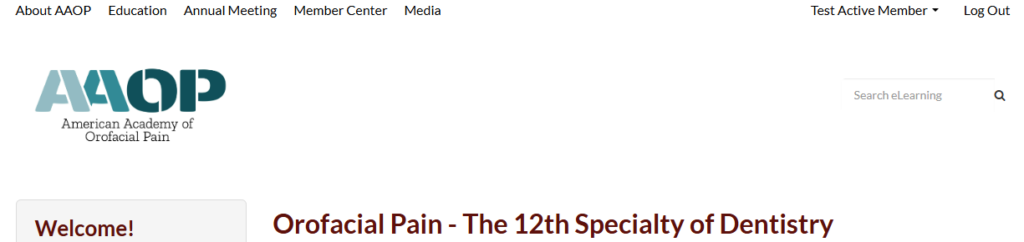
1.Sign into learn.aaop.org – the number one issue people run into is not signing in first. The quickest way to check if you’re signed in is to look at the upper right-hand corner of the screen while on the learning platform. If it says your name, you’re good to go!
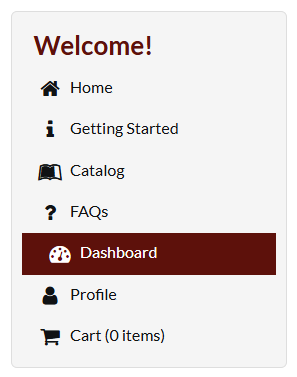
2. Go to your Dashboard – to find this, look at the grey box on the left hand side of the screen. You will find the Dashboard link towards the bottom.
3. For ease of using the Dashboard, you may want to filter the list of “products” (i.e., the CE activities you have registered for on the platform) by one of many filter options. For this, we would recommend filtering by “Annual Scientific and Clinical Meeting”
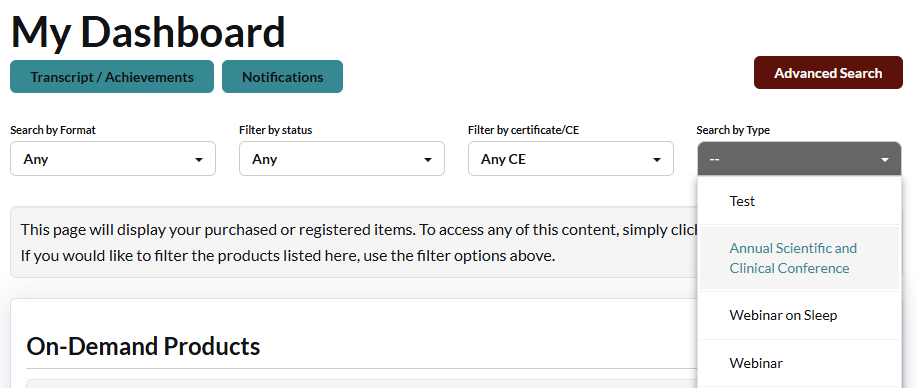
4. Find the listing for “2026 50th Annual Clinical and Scientific Meeting [Live Attendance]” and click on it. If you attended the meeting in person and do not see it on your list, please reach out to us at office@aaop.com!

5. Scroll all the way to the bottom of the list of sessions from the meeting and you will see the final section is titled “CE Documentation.” Open this section.
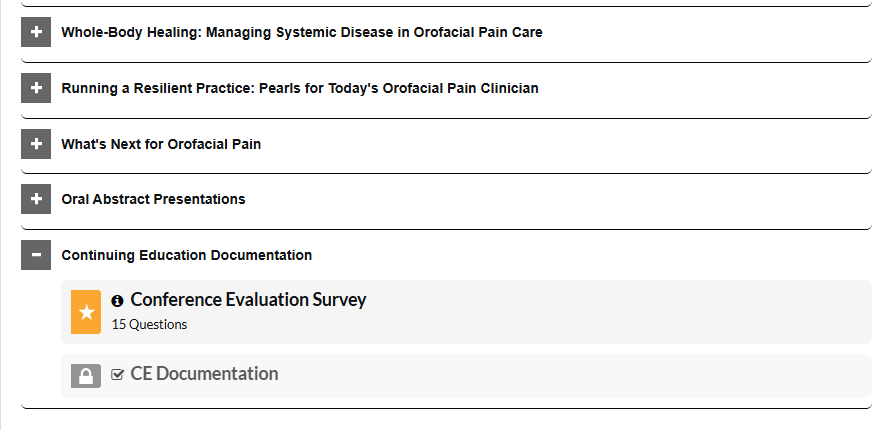
6. Complete the feedback survey – your responses are very helpful as we plan future annual meetings and other continuing education activities!
7. Either immediately after you submit your survey or after clicking the button under “CE Documentation,” a window will pop up which provides the link to the form to submit your attendance for documentation. This link takes you to an external site, JotForm.
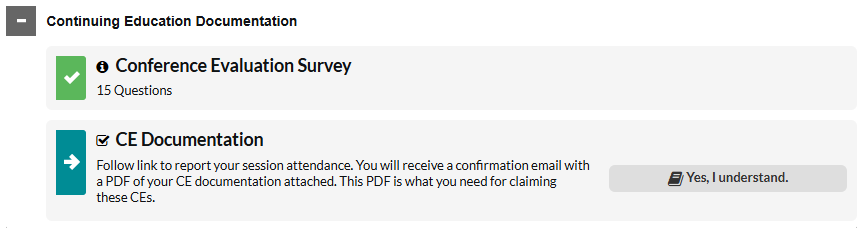
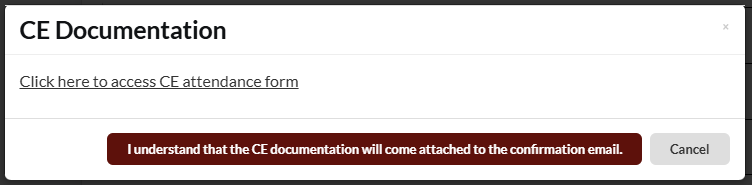
8. Please note that the “certificate” comes as a PDF attached to your confirmation email after you submit your attendance.
